
Framy Blog
How to Put a Video in an iPhone Frame (Free, No App)

Co-founder, Framy
Learn how to add iphone frame to a video in your browser — upload a screen recording, pick from 35 iPhone models, and export MP4 free with no watermark.
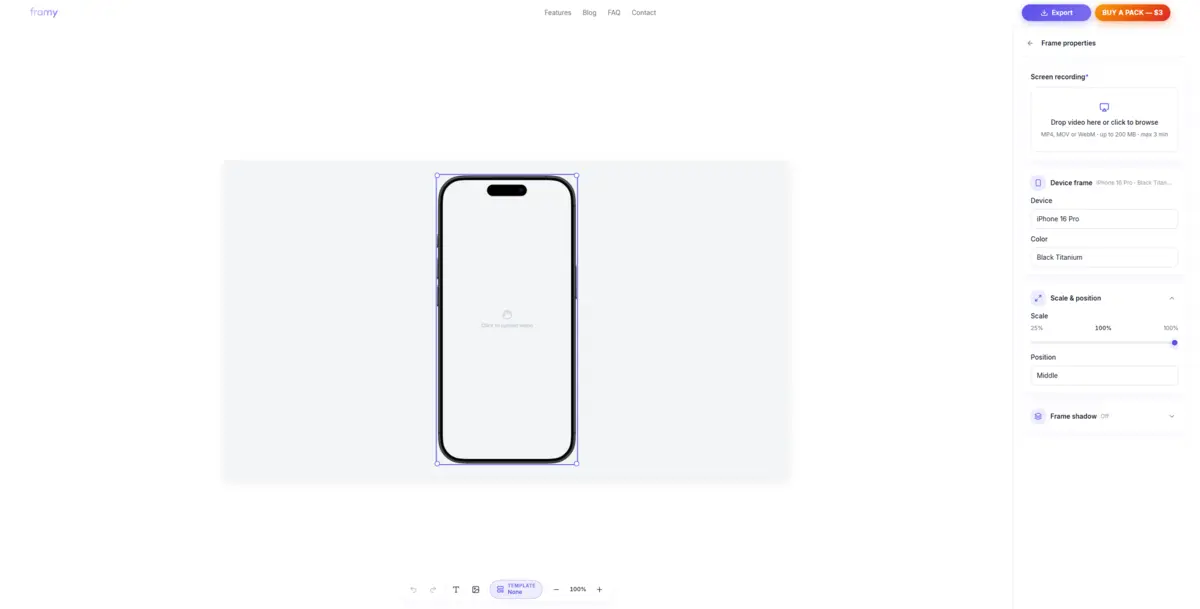
You have a screen recording and need it inside a realistic iPhone shell — for an App Store listing, a launch post, or a client deck. This guide shows how to add iphone frame to a video without After Effects, Figma plugins, or a paid mockup subscription. Need a still instead? You can put an image in an iPhone frame and export PNG.
What you need before you start
- A screen recording in MP4, MOV, or WebM
- A modern desktop browser (Chrome, Edge, or Safari)
- Two minutes
Step 1: Open the editor
Open Framy to put a video in an iPhone mockup. No install, no account required during early access.
Step 2: Upload your recording
Drop your file into the upload area. Framy previews it instantly on the canvas so you can confirm the capture looks correct before framing.
Step 3: Pick your iPhone model and color
Choose from 35 device lines — iPhone 3G through iPhone 16 Pro Max — and pick a finish color that matches your brand or audience.
Step 4: Set the canvas ratio
| Use case | Ratio |
|---|---|
| YouTube, landscape posts | 16:9 |
| Reels, Stories, TikTok | 9:16 |
| Instagram feed | 4:5 |
| Square placements | 1:1 |
Set the ratio before export so the frame and recording compose correctly.
Step 5: Export MP4
Download your framed mockup as MP4 with audio from the original recording kept intact. Export Low or High quality during early access with no watermark.
Tips for a polished result
- Trim dead air in your recorder before upload — Framy frames; it does not edit timelines.
- Match the iPhone model to your target audience (Pro sizes for SaaS demos, standard sizes for consumer apps).
- Import the export into CapCut or Premiere if you need captions or music on top.
When a dedicated framing tool wins
General editors can mask video manually, but that takes time. A single-purpose workflow — upload, pick device, export — is faster when you already have the recording and just need the wrapper.
Next steps
Browse more guides on the Framy blog, try the free iPhone mockup, or open the editor to try a mockup in under a minute.