Put your video in an iPhone mockup — free iPhone frame, no watermark

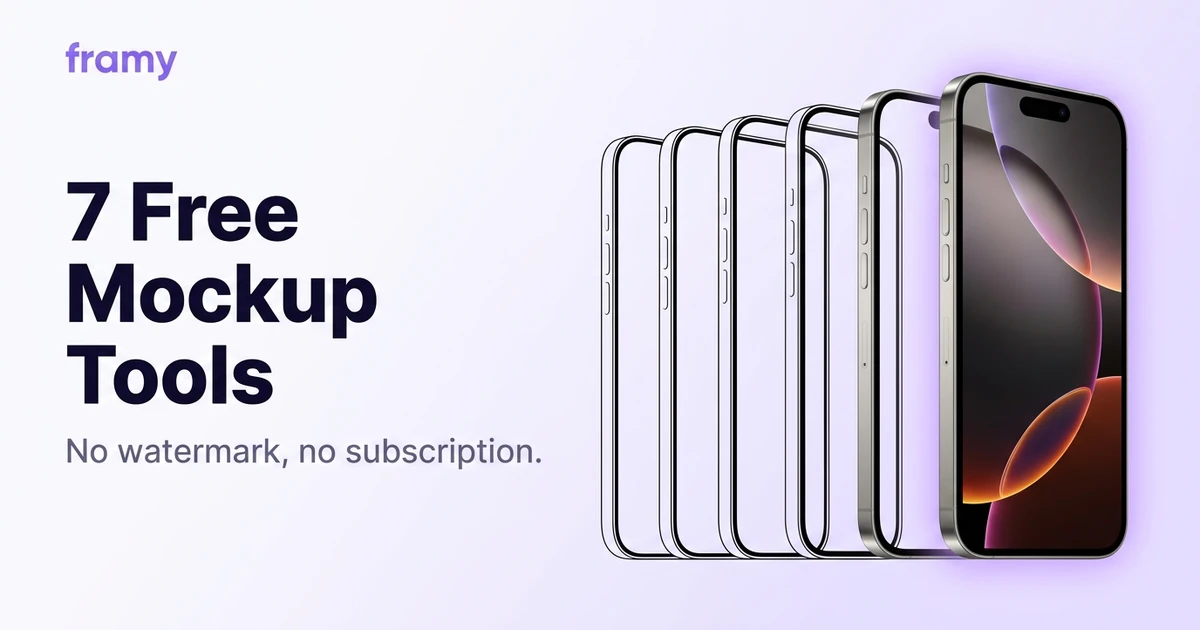
Framy is an iPhone mockup and frame tool for video. Drop in a screen recording, pick from 39 iPhone models, and export an iPhone video mockup up to 4K MP4 — free*, no watermark, entirely in your browser.

01

Frame any screen recording in seconds

Skip After Effects and heavy design suites. Drop a recording into the editor, choose your iPhone model and color, and preview the framed result instantly. Built for App Store previews, launch posts, and pitch decks. It also works as a phone frame for any screen recording, so the same editor covers an iPhone frame or a simple mobile frame for a quick demo.
02

The fastest way to make an iPhone video mockup

Skip the design suite. Framy turns any screen recording into a video mockup inside a real iPhone — upload, pick a model, export. It's the quickest iPhone video mockup workflow in the browser, with no timeline and no watermark.

03

Export up to 4K MP4

Pick 16:9 for YouTube, 9:16 for Reels and Stories, or 4:5 for Instagram feed. Export tiers run up to 4K with audio from your original recording kept intact.

04

No account, no watermark

720p exports are free* forever. Higher resolutions use an optional export bundle. Your download ships clean with no watermark burned in.

Put video or image in a device mockup

Drop a screen recording or a screenshot into the frame and Framy wraps it in a real device mockup. Video exports as MP4 with audio intact. Put a screenshot in an iPhone mockup and it exports as PNG. No timeline, no layers panel, so a photo in a phone mockup, or any Apple device, takes under a minute.

iPhone, iPad, Mac, and Apple Watch mockups

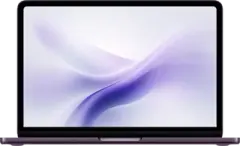
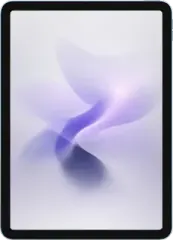
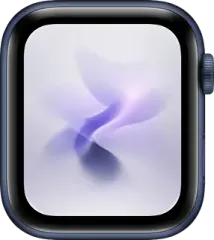
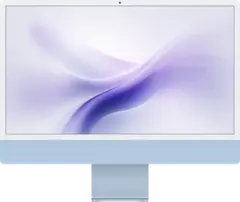
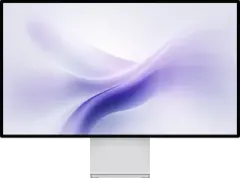
Frame more than phones. Beyond the iPhone mockup, pick an iPad mockup, a MacBook or iMac mockup, or an Apple Watch mockup, each from a visual catalog with finish colors that match the real devices, including the latest Pro models and iPhone Duo. Portrait and landscape when the hardware needs it.

iMac 24-inch mockup frame in bluePro Display XDR mockup frame in silverMacBook mockup frame in indigoiPad Air mockup frame in portrait, sky blueiPhone 17 Pro mockup frame in cosmic orangeApple Watch mockup frame in blue aluminum

App Store and Google Play screenshots in one project

Build your App Store and Google Play screenshots as one project. Lay out every page side by side, App Store screenshots, preview clips, Google Play sets, and ad and social sizes, add ratio rows, and export a single page or the whole set as a ZIP grouped by size. A full store listing from one screenshot generator, not one lonely mockup.

Exact sizes for App Store, TikTok, Reels, and Shorts

Stop guessing 16:9 or 9:16. Pick the exact size for each platform, from App Store screenshot sizes and Google Play to TikTok video size, Instagram Reels, and YouTube Shorts, with the required pixels filled in for you. Turn on guidelines to see safe zones for UI, CTA, and edges before you export.

App Store screenshot sizes include 1320×2868 and 1290×2796. TikTok video size, Instagram Reels, and YouTube Shorts use 1080×1920.

Backgrounds, styles, and layouts

Dress the canvas with curated photo backgrounds, gradients, or your own image. Apply styles and multi-canvas layout sets from Templates so a full App Store row or social set starts with a coherent look — without opening a design suite.

How to put a video in an iPhone mockup

Open the editor, upload your file, and pick the device frame. To put video in iphone mockup workflows, Framy wraps your recording automatically, no timeline or layers panel. You can also add video to phone mockup compositions for social posts and product demos in under a minute.

Use Framy for App Store preview video, App Store screenshots, iPhone frame for Reels, TikTok mockup, and free iPhone mockup.

Changelog

What's new in Framy

Recent updates to the browser iPhone mockup editor — exports, frames, and everyday polish.

  1. Feature

    Pay for export packs without leaving the editor

    High-quality export packs check out inside Framy with Stripe Embedded Checkout — pick a card or wallet, pay, and keep editing. Stripe is merchant of record (tax included). Same one-time packs: $1.99 for 30 or $4.99 for 100.

  2. Improvement

    Smarter snapping on the canvas

    Layers line up with the phone and with even gaps, and they stop jumping between unrelated objects when the canvas is crowded.

  3. Improvement

    Export downloads as soon as it finishes

    When your mockup is ready, Framy still opens the preview tab and also starts the file download right away — no hunting through Downloads.

Questions or ideas?

Missing a device, need a feature, or found something broken — tell us. We read every message and reply when we can.

FAQ

Common questions

How do I put a screen recording inside an iPhone frame?

Upload your video in the browser editor, pick an iPhone model and color, adjust the canvas if you need a specific ratio, then export MP4. No timeline, no layers panel — the frame wraps your recording automatically.

What is a video mockup?

A video mockup is a screen recording placed inside a realistic device frame, such as an iPhone, iPad, or MacBook, and exported as a video. Framy makes a free video mockup in your browser: upload the recording, pick a device, and export MP4 up to 4K with no watermark.

Can I use Framy as a phone frame for any app?

Yes. Framy works as a phone frame for any screen recording or screenshot, from iOS and Android apps to web prototypes. Pick an iPhone frame, or use it as a simple mobile frame for demos, social posts, and store listings.

Which devices does Framy support?

iPhone 3G through iPhone 18 Pro Max, including iPhone 17 Pro and iPhone Duo, plus iPads, MacBooks, iMacs, studio displays, and Apple Watch — each with multiple finish colors. Portrait and landscape iPads are listed as separate frames.

Is Framy free?

Low quality exports are free* forever — no subscription required. High quality uses a $1.99 bundle of 30 exports, or $4.99 for 100. Every export ships without a watermark.

Can I get a refund?

Yes. Unused bundles are refundable within 14 days of purchase, and we restore credits or refund you if an export fails on our side. See the full Refund Policy.

What video formats can I upload?

Common screen-recording formats work: MP4, MOV, and WebM from iOS, Android, QuickTime, OBS, and browser capture tools. If your file plays in Chrome, it should upload fine.

Can I export for App Store previews and social media?

Yes. Pick 16:9 for YouTube and landscape posts, 9:16 for Reels and Stories, 4:5 for Instagram feed, or 1:1 for square placements. Export Low or High quality MP4 up to 4K at your canvas size, with audio from your original recording kept intact.

Do I need After Effects, Figma, or Photoshop?

No. Framy is a single-purpose browser tool: video in, framed mockup out. It is built for speed when you already have the recording and just need the device wrapper.

Will custom iPhone case designs be available?

We are adding non-standard case frames — clear cases, colored bumpers, and stylized shells — on top of the stock device catalog. They will show up in the device picker as they ship.

Comparing tools? See how Framy stacks up against Shots.so, mock.video, DeviceFrames, and Screen Studio.